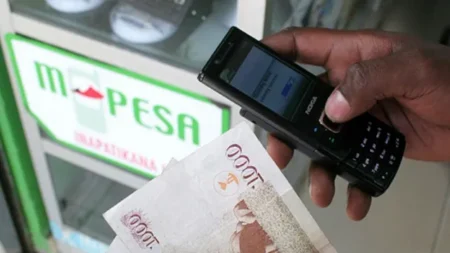
My name is Alex, a self-proclaimed tech enthusiast who once believed that hacking only happened to large corporations and secret government agencies. That illusion was shattered one morning when my Android phone began acting strangely—apps crashing without reason, my battery draining unusually fast, and mysterious charges appearing on my mobile account. It was a wake-up call that hackers don’t always go after big fish; sometimes, they target ordinary people like you and me.
That experience taught me valuable lessons about cybersecurity and how to protect an Android device from hacking attempts. Allow me to share my journey and the practical steps I now live by to keep my digital life safe.
1. Keep Your Software Updated
Hackers often exploit vulnerabilities in outdated Android operating systems and apps. After my ordeal, I set my phone to automatic updates. This ensures that whenever developers patch security loopholes, my phone receives those updates immediately.
Pro tip: Go to Settings → System → Software Update and enable automatic updates. Outdated apps are equally risky, so regularly check the Play Store for updates.
READ ALSO:
1. How to Secure Your Gmail Account From Hackers: A Cybersecurity-Focused Guide
2. Mastering Cryptocurrency: Proven Strategies For Long-Term Success
3. Best Kenyan Niches for YouTube in 2025 (Profitable & Evergreen Ideas)
4. Why The Toyota Prado J250 Is The Best Off-Road SUV In Kenya
5. Apple iPhone 17 Review And Its Price in Kenya
2. Use Strong Authentication Methods
In the past, I relied on a simple PIN that even a curious sibling could guess. That was a mistake. Today, I use biometric authentication combined with a strong password. Hackers often rely on weak locks to gain access, so strengthening this barrier is crucial.
Best practice: Use a mix of letters, numbers, and symbols for your password, and avoid predictable combinations like “123456” or your birthday.
3. Install Trusted Security Apps
Initially, I downloaded random antivirus apps without verifying their authenticity—ironically, one of them was a hacking tool disguised as protection software. Now, I only install apps from verified developers on the Google Play Store. A reputable mobile security app can detect malware, phishing attempts, and suspicious background activity.
Avoid sideloading APKs from unknown websites unless you absolutely trust the source.
4. Manage App Permissions
Once, I installed a simple flashlight app that somehow requested access to my contacts, camera, and microphone. That was a huge red flag. Hackers use such permissions to spy on users.
Go to Settings → Privacy → Permission Manager and review what each app can access. If a game is asking for microphone access, question why it needs it and disable it immediately.
5. Secure Your Network Connections
I learned the hard way that public Wi-Fi is a hacker’s playground. When you connect to an unsecured network, cybercriminals can intercept your data, including passwords and banking information.
Solution: Always use a VPN (Virtual Private Network) when connecting to public networks. It encrypts your traffic, making it difficult for hackers to snoop on your activities.
6. Enable Find My Device and Remote Wipe
Hackers sometimes gain access by physically stealing your phone. Android’s Find My Device feature allows you to track, lock, or even erase your data remotely.
Setup: Go to Settings → Security → Find My Device and turn it on.
This way, even if your phone falls into the wrong hands, your personal data stays protected.
7. Stay Vigilant Against Phishing
One of the most common hacking methods is phishing—tricking you into giving away sensitive information through fake links or messages. I once received a text message pretending to be from my bank, asking me to “verify” my account details.
Rule of thumb: Never click suspicious links or download attachments from unknown senders. When in doubt, contact the company directly using official numbers or websites.
8. Encrypt Your Data
Data encryption adds an extra layer of defense, making your files unreadable to hackers.
To enable encryption: Settings → Security → Encryption & Credentials.
It might slow down performance slightly, but the protection it offers is well worth it.
Conclusion: Stay One Step Ahead of Hackers
My hacking incident taught me that cybersecurity begins with personal responsibility. Securing your Android phone is not a one-time action but an ongoing process. By updating your system, managing app permissions, avoiding public Wi-Fi traps, and staying vigilant, you can significantly reduce the chances of falling victim to cybercriminals.
Remember, hackers are constantly evolving, but so can you. Treat your Android phone as a vault for your personal life—because in many ways, it is.
For more tech updates follow us on Twitter and Facebook