Deploying a community Wi-Fi hotspot is one of the most reliable local digital businesses in Kenya. However, relying on closed-source, third-party vending boxes limits your flexibility, introduces hidden fees, and robs you of complete control over your network infrastructure.
By building your own custom, self-hosted billing portal using PHP, the Safaricom Daraja API, and a localized captive portal, you own the entire pipeline from payment ingestion to bandwidth allocation.
System Architecture Overview
To automate internet vending successfully, your setup requires three core layers communicating seamlessly:
- The Captive Portal Layer (Frontend): A landing page served to users when they connect to your Wi-Fi zone. It captures their phone number, presents data bundles (e.g., 1 Hour for KES 10, 24 Hours for KES 50), and triggers the checkout process.
- The Backend Payment Engine (Safaricom Daraja API): A secure PHP script handling OAuth token generation and initiating the
STK Push(Lipa Na M-Pesa Online) request directly to the customer’s phone. - The Network Gateway (Router Control): A backend listener that captures Safaricom’s payment callback (
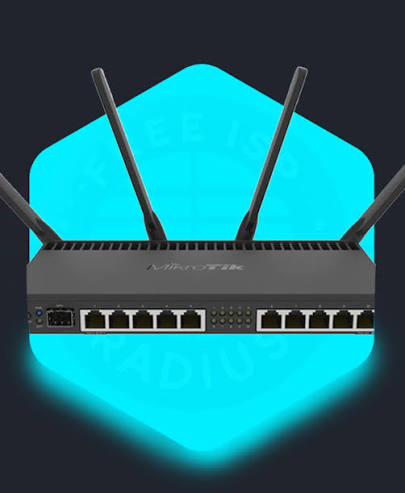
callback.phpverifies the transaction, and executes an API command to your network hardware (such as a MikroTik router) to whitelist the user’s device.
Interactive Live Test Tool
Try out the interactive M-Pesa STK Push simulation tool below. In a production environment, this form securely posts data to your server-side Daraja handler.
M-Pesa Community Wi-Fi Access Portal
Test the automated payment gateway simulation or connect to local hotspot bandwidth.
Step-by-Step Backend Implementation
To wire this up on your server backend, use the clean, object-oriented PHP class we designed earlier to handle Safaricom API authentication and request processing.DarajaAPI.php):
M-Pesa Community Wi-Fi Access
Select your data package and pay instantly via STK push.
Handling the M-Pesa Callback & Router Authorization
Once the subscriber successfully enters their M-Pesa PIN, Safaricom pushes a JSON response to your registered callback.php endpoint. Your script must parse this response, log the transaction, and communicate with your router gateway:
Summary & Deployment Tips
- Use Sandbox First: Always test your payload logic using Safaricom’s sandbox shortcodes before switching your application credentials to production.
- Secure Your Endpoints: Ensure your server enforces SSL (
https://) since Safaricom requires secure callback endpoints for production transactions.