A strong password is no longer enough to protect a bank account. Criminals steal passwords through phishing, data breaches and malware, so banks and security experts recommend a second layer of proof that you are really you. That layer is called two-factor authentication (2FA), and not all versions are equally safe. This guide explains the options, ranks them, and shows how to set up the strongest one your bank supports.
Last updated: October 2026. The options your bank supports may differ, so check its security settings. This is general information.
This article is part of our full series on protecting your bank account from hackers.
What is two-factor authentication?
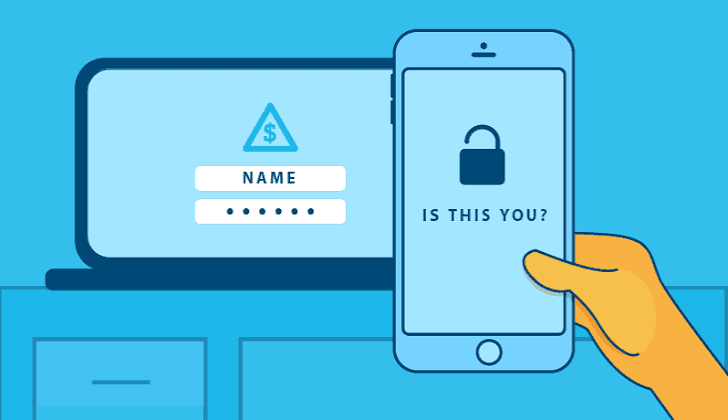
Two-factor authentication means you must prove your identity in two different ways to log in or approve a payment. The factors usually come from three categories: something you know (a password), something you have (your phone or a security key), and something you are (a fingerprint or face scan). If a criminal steals only one, they are still locked out.
The main 2FA methods, from weakest to strongest
| Method | How it works | Security level |
| Text message (SMS) codes | A code is sent to your phone number | Basic. Better than nothing, but vulnerable to SIM swapping and interception |
| Authenticator app codes | An app on your phone generates time-limited codes | Good. Codes are not sent over the phone network |
| Bank app approval | You approve a login or payment inside the bank’s own app | Good, as long as your phone is secure |
| Passkeys | Your device proves it is you with a fingerprint, face scan or device PIN | Very strong. Resistant to phishing |
| Hardware security keys | A physical device you plug in or tap | Very strong. Among the best defences against phishing |
Why text message codes are the weakest option
SMS codes are convenient, but they have real weaknesses. A criminal can use a SIM swap, where they trick your phone company into moving your number to a SIM card they control, and then receive your codes. Scammers can also persuade you to read a code out loud over the phone, or intercept it with fake login pages that capture it in real time. If your bank only offers SMS, use it. But switch to something stronger if the option exists.
What is a passkey?
A passkey replaces your password with a cryptographic key stored on your device. When you log in, your phone or computer confirms it is you with a fingerprint, face scan or device PIN. Because there is no password or code to type, there is nothing for a phishing site to steal, and the passkey only works on the genuine website. Many banks and big online services now support passkeys, and the major password managers can store them too.
What is a hardware security key?
A security key is a small physical device that you plug into a port or tap against your phone to approve a login. It is one of the strongest forms of protection because a criminal would need to physically steal the key. If you use one, buy a second as a backup and keep it somewhere safe, in case you lose the first.
How to set up the strongest option on your bank account
- Open your bank’s official app or website and go to Security or Settings.
- Look for the strongest available method. Options might be labelled “passkey,” “security key,” “authenticator app,” or “app approval.”
- Follow the on-screen steps to register it.
- Save any backup or recovery codes and store them somewhere safe and offline.
- Test it, by logging out and back in.
- Remove SMS as a fallback if your bank allows it, because attackers sometimes target the weaker backup option.
How to protect yourself from SIM swapping
Even if you avoid SMS for banking, your phone number still matters because it can be used for account recovery. To protect it:
Set a PIN or passcode on your mobile account. Ask your phone provider to require it for any SIM change or number transfer.
Use a port-out or number lock feature, if your carrier offers one.
Keep your phone number private and avoid posting it publicly.
Watch for warning signs. If your phone suddenly loses service for no reason, contact your carrier and your bank straight away.
Use app-based or passkey 2FA so a stolen number is less useful.
Secure the accounts that can reset your bank password
Many banks send password reset links to your email, so your email account is a gateway to your finances. Give it a unique password, turn on the strongest 2FA it supports, and review its security settings. A password manager makes it easy to keep every password unique.
Never share your codes
A one-time code is a key to your account. A real bank will not ask you to read out or forward a code. If someone does, it is a scam, however convincing they sound. Learn the other warning signs in our guide to common bank scams.
Protect your authenticator app
- Lock your phone with a strong passcode and biometrics
- Back up your authenticator app using the method it provides, and store recovery codes safely
- When you replace your phone, transfer your authenticator accounts before wiping the old one
What if you lose your phone?
Contact your bank right away, and use a trusted device to sign in and remove the lost device from your account. Use your backup codes or a spare security key to regain access. If you suspect someone else has your phone, treat it like a possible breach and follow our guide on what to do if your bank account is hacked.
Frequently asked questions
Which 2FA method is the safest for banking?
Passkeys and hardware security keys are the strongest, followed by authenticator apps and bank app approvals. SMS codes are the weakest.
Are passkeys safer than passwords?
Yes. Passkeys cannot be guessed or reused, and they only work on the genuine website, which makes them resistant to phishing.
Can hackers bypass two-factor authentication?
Some attacks can, especially against SMS codes, by tricking you into sharing a code or by using fake login pages. Passkeys and security keys are much harder to bypass.
Do I need a security key?
Not necessarily. For most people, a passkey or an authenticator app is a big improvement. A security key is a good extra for people who want maximum protection.
What is a SIM swap?
It is when a criminal convinces your phone company to move your number to their SIM card, so they receive your calls and texts, including security codes.
The simplest upgrade for most people is to switch from text-message codes to an authenticator app or passkey, and to lock down their mobile account with a PIN. Both take only a few minutes.