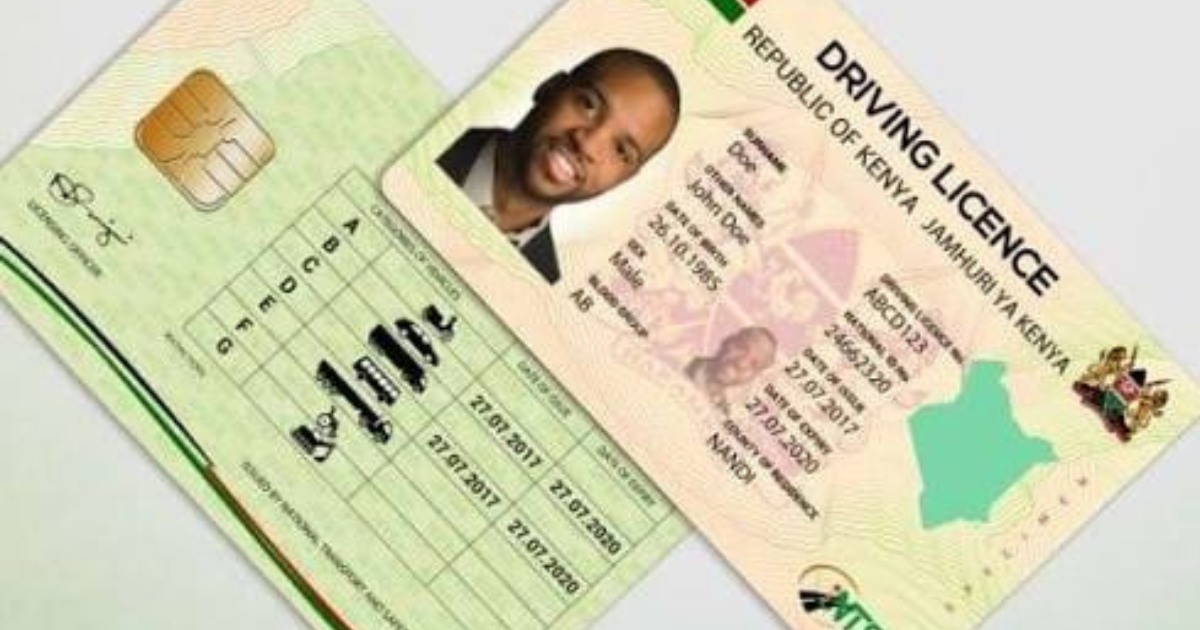
The National Transport and Safety Authority (NTSA) requires all motorists across Kenya to transition from traditional paper driving licences to the digital Smart Driving Licence (Smart DL). The Smart DL features an embedded microchip containing driver details, demerit points, and licence categories.
All applications, conversions, renewals, and biometric appointment bookings are processed exclusively through the NTSA Service Portal on eCitizen.
Step 1: Navigating to the NTSA Portal on eCitizen
- Open your web browser and go to ecitizen.go.ke.
- Log in using your National ID number and password (verify with OTP if prompted).
- Scroll through agency services and click on National Transport and Safety Authority (NTSA).
- Select “Driving Licence Services” from the available menu options.
Step 2: Selecting Application Type & Filling Details
Choose the option that fits your current licence status:
- New Driving Licence Application (for drivers who have completed test driving school tests).
- Conversion to Smart DL (for holders of legacy paper licences).
- Smart DL Renewal / Replacement (for lost, damaged, or expired smart cards).
Fill in your personal profile details accurately: Full Name, National ID, Blood Group, and permanent physical address.
Step 3: Payment & Biometric Booking
- Payment: Click “Submit & Pay”. Pay the standard fee (KSh 3,050 for new 3-year Smart DL issuance) using M-Pesa Paybill 222222.
- Center Selection: Select your preferred biometric collection center (e.g., NTSA Headquarters 316 Upper Hill, Huduma Centre GPO, City Square, or regional Huduma locations).
- Appointment Date: Choose an available time slot for digital passport photo capture, fingerprint scanning, and signature logging.
- Collection: Once processed, you will receive an automated SMS notification to pick up your printed card at your designated center.