Close Menu
  • NEWS
    • Crime
    • Education
  • POLITICS
  • FINANCE
    • Business
    • Business News & Insights
    • Digital Business & Online Income
    • Startups & Entrepreneurship
    • Marketing & Sales
    • Economy
    • Crypto News
    • Banking
  • ENTERTAINMENT
    • Gossip
    • Lifestyle & Travel
  • SPORTS
    • Football
  • WORLD NEWS
  • TOOLS
  • AI & TECH
    • TECH&AI
Facebook X (Twitter) Instagram
CityNews Kenya
  • NEWS
    • Crime
    • Education
  • POLITICS
  • FINANCE
    • Business
    • Business News & Insights
    • Digital Business & Online Income
    • Startups & Entrepreneurship
    • Marketing & Sales
    • Economy
    • Crypto News
    • Banking
  • ENTERTAINMENT
    • Gossip
    • Lifestyle & Travel
  • SPORTS
    • Football
  • WORLD NEWS
  • TOOLS
  • AI & TECH
    • TECH&AI
LATEST NEWS
  • How to Apply for or Renew an NTSA Smart Driving Licence (Smart DL) via eCitizen in 2026
  • SHA Portal Guide: How to Register, Add Dependents, and Check Status Online via Afya Yangu (2026)
  • Elite GSU Officer on Training Goes on a Shooting Spree And Shoots His Colleague Dead
  • How to Apply for or Renew a Nairobi County Unified Business Permit (UBP) Online
  • How to Retrieve Lost eCitizen Invoice Numbers and M-Pesa References in Kenya (2026 Guide)
CityNews Kenya
Home » BUSINESS » How to Apply for or Renew a Nairobi County Unified Business Permit (UBP) Online
BUSINESS

How to Apply for or Renew a Nairobi County Unified Business Permit (UBP) Online

Steven MutageBy Steven MutageOctober 26, 2026No Comments2 Mins Read
Facebook Twitter Pinterest LinkedIn Tumblr Email
How to Apply for or Renew a Nairobi County Unified Business Permit (UBP) Online
Share
Facebook Twitter LinkedIn Pinterest Email

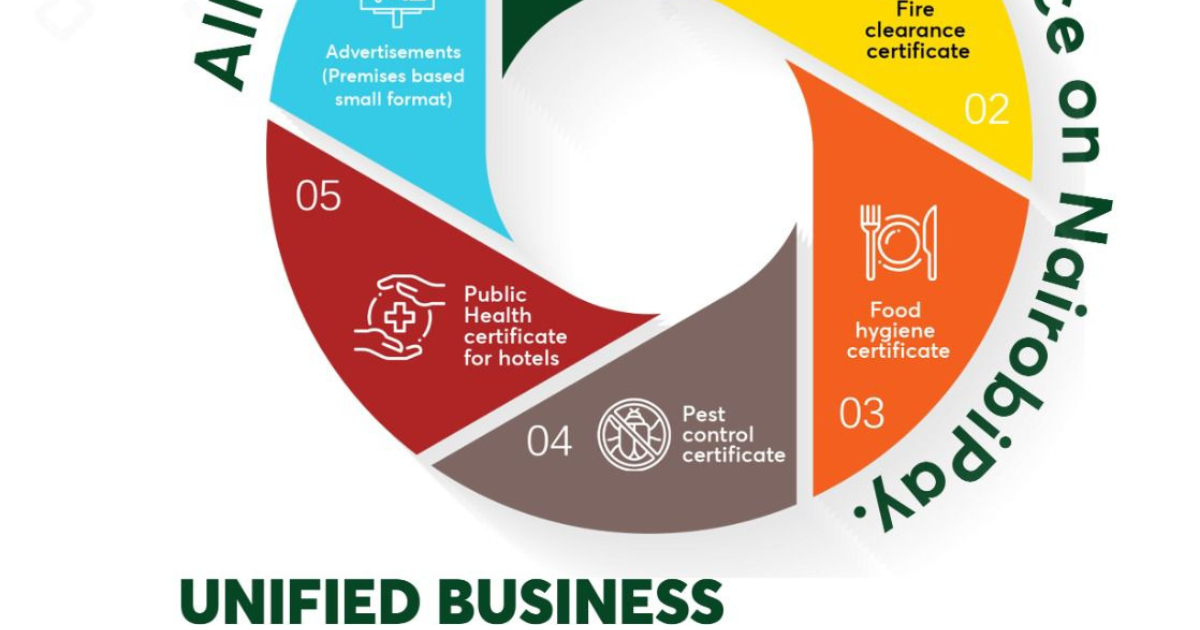
Operating a business within Nairobi City County requires a valid Unified Business Permit (UBP)—formerly referred to as the Single Business Permit. Under the updated 2026 Nairobi City County Finance Act guidelines, all permit processing, fee assessments, and payments are strictly digital via the official NairobiPay portal.

Failure to obtain or visibly display a current permit inside your premises risks hefty monthly penalties and enforcement inspections by county revenue officers.

Here is the updated step-by-step application and renewal guide for entrepreneurs, retailers, and corporate entities in Nairobi.

Core Documents Required Before Applying

Before beginning your online application on NairobiPay, ensure you have digital copies (PDF or JPG) of:

  1. BRS Business Registration Certificate (Business Name or Certificate of Incorporation from eCitizen).
  2. KRA PIN Certificate (for the business or individual proprietor).
  3. Director/Owner Identification (National ID card or Passport).
  4. Physical Premises Details (Land Reference/Plot Number, Building Name, Floor, and Shop Number).

Step-by-Step Application Process on NairobiPay

  1. Access the Portal: Visit nairobiservices.go.ke (or access NairobiPay via eCitizen).
  2. Account Registration: Log in or create an account using your phone number and email address, then verify via OTP.
  3. Select Business Licensing: Navigate to “Business Licensing Services” and select either “New Business Application” or “Renew Existing Permit.”
  4. Enter Business Parameters: Input your floor area (in sq. meters), employee count, and precise business category.
    Note: Ensure your business activity category is accurate. Selecting the wrong category can lead to underpayment penalties during physical inspections.
  5. Upload Documents & Generate Invoice: Attach your BRS certificate and ID. The portal will calculate charges based on the current Finance Act scale and issue an official Electronic Invoice (plus a KSh 200 standard application fee).

Payment Methods & Certificate Download

Nairobi City County operates a strict No-Cash Policy:

  • Pay via M-Pesa or USSD (*647#) using the invoice number provided.
  • Alternatively, direct payments can be processed through designated revenue collection bank accounts at Co-operative Bank or Equity Bank.

Once payment clears and county verification finishes:

  1. Log in to your NairobiPay dashboard.
  2. Click “Download Unified Business Permit.”
  3. Print the document in color and display it prominently on your business wall as required by county by-laws.
RELATED POSTS:

  • SHA Portal Guide: How to Register, Add Dependents, and Check Status Online via Afya Yangu (2026)
  • How to Retrieve Lost eCitizen Invoice Numbers and M-Pesa References in Kenya (2026 Guide)
  • Navigating the Crunch: A Strategic Guide to Surviving High Fuel Prices and Inflation in Kenya
Share. Facebook Twitter Pinterest LinkedIn Tumblr Email
Previous ArticleHow to Retrieve Lost eCitizen Invoice Numbers and M-Pesa References in Kenya (2026 Guide)
Next Article Elite GSU Officer on Training Goes on a Shooting Spree And Shoots His Colleague Dead
Steven Mutage
Steven Mutage
  • Website

Steven Mutage covers Kenyan politics, business, and finance for CityNews Kenya.

Related Posts

How to Apply for or Renew an NTSA Smart Driving Licence (Smart DL) via eCitizen in 2026

How to Apply for or Renew an NTSA Smart Driving Licence (Smart DL) via eCitizen in 2026

October 26, 2026
Read More
SHA Portal Guide: How to Register, Add Dependents, and Check Status Online via Afya Yangu (2026)

SHA Portal Guide: How to Register, Add Dependents, and Check Status Online via Afya Yangu (2026)

October 26, 2026
Read More
How to Retrieve Lost eCitizen Invoice Numbers and M-Pesa References in Kenya (2026 Guide)

How to Retrieve Lost eCitizen Invoice Numbers and M-Pesa References in Kenya (2026 Guide)

October 26, 2026
Read More
Leave A Reply Cancel Reply

SEARCH
Latest Posts
How to Apply for or Renew an NTSA Smart Driving Licence (Smart DL) via eCitizen in 2026

How to Apply for or Renew an NTSA Smart Driving Licence (Smart DL) via eCitizen in 2026

October 26, 2026
SHA Portal Guide: How to Register, Add Dependents, and Check Status Online via Afya Yangu (2026)

SHA Portal Guide: How to Register, Add Dependents, and Check Status Online via Afya Yangu (2026)

October 26, 2026
Elite GSU Officer on Training Goes on a Shooting Spree And Shoots His Colleague Dead

Elite GSU Officer on Training Goes on a Shooting Spree And Shoots His Colleague Dead

October 26, 2026
How to Apply for or Renew a Nairobi County Unified Business Permit (UBP) Online

How to Apply for or Renew a Nairobi County Unified Business Permit (UBP) Online

October 26, 2026
How to Retrieve Lost eCitizen Invoice Numbers and M-Pesa References in Kenya (2026 Guide)

How to Retrieve Lost eCitizen Invoice Numbers and M-Pesa References in Kenya (2026 Guide)

October 26, 2026
Nairobi Water Announces 3-Day Water Shutdown: Full List of Affected Estates & Restoration Schedule (Oct 26–29)

Nairobi Water Announces 3-Day Water Shutdown: Full List of Affected Estates & Restoration Schedule (Oct 26–29)

October 26, 2026
Man Arrested For Spending Ksh 6.7 Million Mistakenly Sent to His Bank Account is Vying For The Kajiado Governor Seat

Man Arrested For Spending Ksh 6.7 Million Mistakenly Sent to His Bank Account is Vying For The Kajiado Governor Seat(Photos)

October 26, 2026
Rogue Househelp Busted Stealing  by Her Employer, Just  a Few Days After Being Employed(Video)

Rogue Househelp Busted Stealing by Her Employer, Just a Few Days After Being Employed(Video)

October 25, 2026
Armed Thugs Riding on a Motorbike Captured on CCTV Footage Attacking And Robbing a Man in Fedha, Embakasi(Video)

Armed Thugs Riding on a Motorbike Captured on CCTV Footage Attacking And Robbing a Man in Fedha, Embakasi(Video)

October 25, 2026
Man Dies In The Mtito Andei Accident Alongside a Friend While Driving Back Home After Buying a New Car(Photos)

Man Dies In The Mtito Andei Accident Alongside a Friend While Driving Back Home After Buying a New Car(Photos)

October 25, 2026
Copyright © 2026
  • Homepage
  • About CityNews Kenya
  • Privacy Policy
  • Terms and Conditions
  • Disclaimer
  • Contact Us
  • Site Map
  • Editorial Standards
  • Code of Ethics
  • Corrections Policy

Type above and press Enter to search. Press Esc to cancel.

Help Keep CityNews Free
CityNews is free to read because of the advertisements that support our journalism. If you use an ad blocker, please consider whitelisting CityNews to help us continue bringing you the latest news. Thank you for your support!