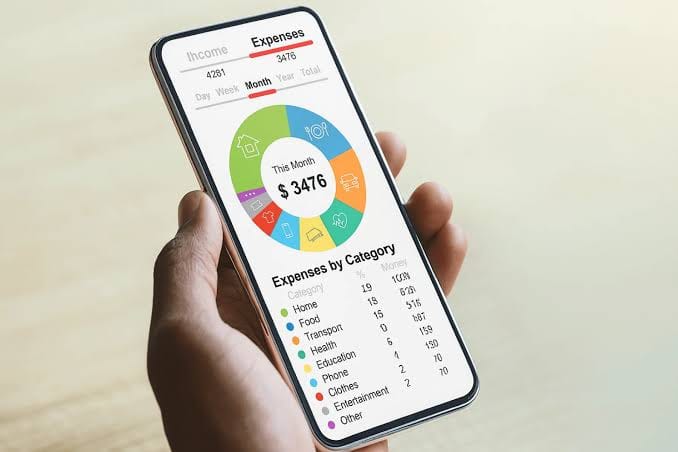
The best budgeting app is the one you will actually keep using. Some apps want you to plan every dollar. Others connect to your bank and categorize your spending automatically. This guide compares the leading options in 2026 so you can match an app to your habits and your budget.
Last updated: October 2026. Prices change often, so check each app’s website before you subscribe. Many apps are most useful in the US and Canada, and we note where that matters.
Quick picks
| App | Best for | Approximate price |
| YNAB (You Need A Budget) | Hands-on, zero-based budgeting | About $109 per year |
| Monarch Money | Couples and an all-in-one view | About $99.99 per year or $14.99 per month |
| Copilot Money | Apple users who want automatic tagging | About $95 per year or $13 per month |
| Goodbudget | Free envelope budgeting | Free; Premium about $80 per year |
| Rocket Money | Finding and cancelling subscriptions | Free tier; paid plans vary |
| EveryDollar | Simple zero-based budgeting | Free basic version |
YNAB: best for zero-based budgeting
YNAB follows the zero-based method: every dollar you earn gets a job before you spend it. It takes a little effort to learn, but users tend to stick with it, and many credit it with helping them save. It offers a free trial, and college students can use it for free for a year. It is the best choice if you want to take control of your spending rather than just track it.
Monarch Money: best for couples and all-in-one tracking
Monarch connects your bank accounts, credit cards, loans and investments in one place. It includes a net worth tracker, investment dashboard, reports, and bill reminders, and it lets you choose between budgeting styles. Because it works across different phones, it suits couples and households who share one budget.
Copilot Money: best for Apple users
Copilot reads each transaction and tags it for you, with a clean design built for the Apple ecosystem. It is a paid app and fits people who want to see their spending automatically categorized rather than enter everything by hand.
Goodbudget: best free option
Goodbudget uses the envelope method: you divide your money into categories and spend only what is in each envelope. It is more about planning than tracking past spending. The basic version is free, and the paid Premium version adds unlimited envelopes and more devices. Note that bank syncing is limited to the US, so users elsewhere will enter transactions manually, which some people prefer for privacy and awareness.
Rocket Money: best for cutting subscriptions
If your main problem is forgotten subscriptions and bills, Rocket Money helps you spot recurring charges and cancel what you do not use. It works better as a companion to a budget than as a full budgeting system.
EveryDollar: best simple zero-based budget
EveryDollar offers a straightforward zero-based budget with an easy interface. It has fewer customization options than YNAB or Monarch, which makes it a good starting point if you are new to budgeting.
Budgeting apps outside the US
Many budgeting apps connect to banks only in the US and Canada. If you live elsewhere, you have two good options. First, use an app that works with manual entry, such as Goodbudget. Second, look for an app built for your region. In the UK, for example, Emma is a popular choice. In countries where mobile money is common, such as Kenya, manual tracking works well, since you can log your mobile money transactions yourself.
How to choose a budgeting app
- If you want control: choose YNAB or Goodbudget.
- If you want automation: choose Monarch or Copilot.
- If you share finances with a partner: choose Monarch or Goodbudget.
- If you want to spend nothing: start with Goodbudget or the free version of EveryDollar.
- If subscriptions drain your money: add Rocket Money.
Are budgeting apps safe?
The major apps use bank-level encryption and connect through secure services, and security standards have improved in recent years. Still, take sensible precautions: use a strong, unique password, turn on two-factor authentication, and read how the app handles your data before you link accounts.
Frequently asked questions
What is the best free budgeting app?
Goodbudget is a strong free option, using envelope budgeting with manual entry. The basic version of EveryDollar is also free.
Is YNAB worth the money?
If you are willing to plan your spending actively, many people find it pays for itself. If you only want to track spending automatically, Monarch or Copilot may suit you better.
Which budgeting app is best for couples?
Monarch Money and Goodbudget both support shared household budgets across different devices.
Do budgeting apps work outside the US?
Some do, but bank syncing is often limited to the US and Canada. Manual-entry apps work anywhere.
The best budget is the one you stick with, so try a free trial or a free app first, then upgrade if it fits your habits.