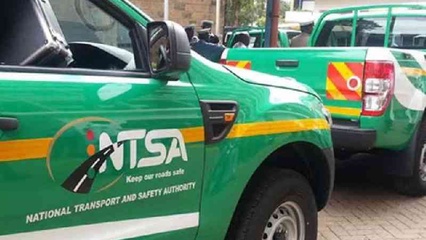
The process of getting your private car inspected by the National Transport and Safety Authority (NTSA) has become much simpler. You can now complete almost the entire booking process online from the comfort of your home, saving you from multiple trips to government offices. Here is a straightforward guide to help you through it, especially with the new 2026 rules in mind.
What You Need to Know About the 2026 Inspection Rules
Starting July 1, 2026, all vehicles, including private cars, are subject to a new mandatory inspection regime under the Traffic (Motor Vehicle Inspection) Rules, 2026. The key points for private car owners are:
- Who is affected? Any vehicle more than four years old from its date of manufacture will need to undergo an inspection test once every year.
- What does it cost? For vehicles below 3000cc, you will pay a KES 1,000 booking fee to NTSA and up to KES 1,000 at the inspection centre itself. The total cost is capped at KES 2,000.
- What if I fail? If your vehicle fails the inspection, you will receive a defect report. You will have 14 days to repair the issues and get one free re-inspection at the same centre.
- What are the penalties? Operating a vehicle without a valid inspection sticker can lead to a fine of up to KES 20,000, imprisonment for up to six months, or both.
Important Note: As of June 30, 2026, there is a legal challenge to these regulations, and the enforcement against private car owners has been temporarily paused. It is advisable to wait for official communication from NTSA before booking. This guide is based on the published rules.
Step-by-Step Guide to Booking Your Inspection Online
The entire booking process is done digitally through the government’s eCitizen platform. Here are the steps you need to follow.
Step 1: Log into Your eCitizen Account
Visit the eCitizen self-service portal. Log in using your registered ID number and password. If you do not have an account, you will need to create one. Ensure your details are correct and linked to your NTSA profile.
Step 2: Access the NTSA Portal
From your eCitizen dashboard, select the NTSA service. This will take you to the Transport Integrated Management System (TIMS), also known as the “New NTSA Portal.”
Step 3: Open Motor Vehicle Services
Inside the NTSA portal, click on Motor Vehicle from the menu. Then select View to see your registered vehicles, and choose Motor Vehicle Services to proceed.
Step 4: Select the Inspection Type
From the list of available services, select Vehicle Inspection. Choose the correct inspection type for your needs. For a routine check of your private car, you will likely select Annual Vehicle Inspection. Other types include inspections for changes in ownership or accident assessment.
Step 5: Pay the Inspection Fee
The system will generate the applicable fee. Proceed to payment, which is seamlessly integrated with M-Pesa. You will receive an STK Push prompt on your phone to complete the transaction. Keep your M-Pesa confirmation message for your records.
Step 6: Book Your Inspection Centre and Date
Once the payment is confirmed, click Book Now. The system will display a list of available NTSA inspection centres. Choose your preferred centre and select an available date and time that is convenient for you.
Step 7: Download and Print Your Booking Slip
After booking, navigate to Application History on your dashboard. Download and print the inspection booking slip and your payment receipt. You must carry these printed documents to the inspection centre on the day of your appointment.
What Happens at the Inspection Centre?
On your scheduled day, arrive at the selected centre on time with your vehicle and the printed booking slip. The inspection process itself is quick and paperless, often taking under 20 minutes.
NTSA Director General Nashon Kondiwa has explained that the inspection is a detailed check for safety and compliance. The officers will examine the following key areas:
- Vehicle Identification: They will verify the vehicle’s identity, matching the chassis number and Vehicle Identification Number (VIN) against what is in the NTSA registry. This also helps to flag stolen vehicles.
- Mechanical Condition: Officers will check critical components like brakes, suspension, headlights, and steering. A particular focus is on blinding headlights, which are a major safety hazard.
- Emission Testing: The vehicle’s exhaust output is assessed to ensure it meets environmental standards.
- Visual and Body Condition: The general condition of the vehicle, including tyres, mirrors, and windscreen, is also checked.
Tips for a Smooth Inspection
- Prepare Your Vehicle: Before the inspection, ensure your car is in good mechanical condition. Check your brakes, lights, tyres, and fluid levels.
- Plan Ahead: Book your inspection in advance to secure your preferred centre and date, especially as the deadline approaches.
- Keep Documents Ready: Have your logbook (original or copy) for verification purposes. Also, ensure you have your printed booking slip and payment receipt.
- Use the NTSA App: Download the NTSA mobile app. It is the fastest way to check your vehicle’s inspection status and show proof of compliance during police stops.
By following this guide, you can take the stress out of the NTSA inspection process for your private car.
READ MORE:
How To Register For KRA PIN Online