A stubborn myth keeps circulating online: that Kenyans can only send money through PayPal, not receive it. That hasn’t been true for years — you can absolutely receive PayPal payments in Kenya and convert them to real shillings in your M-Pesa wallet. The confusion exists for a real reason, though: cashing out isn’t a single button inside the PayPal app itself; it runs through a partner service. Here’s exactly how it works.
The Quick Answer
Yes, you can receive USD and several other currencies into a Kenyan PayPal account, holding the balance for up to 30 days before you need to move it. To turn that into shillings, you use one of two official routes: the Safaricom M-Pesa PayPal service (direct to M-Pesa) or the Equity Bank PayPal Withdraw Service (to an Equity account, which you then move to M-Pesa yourself). Money typically lands within 2-3 business days, and for a $100 personal payment, expect to net around KES 12,000-12,500 after fees and the exchange rate — the exact figure varies daily with PayPal’s rate.
Why the “Kenyans Can’t Receive PayPal Money” Myth Persists
Two real quirks feed this misunderstanding. First, Kenyan PayPal accounts are personal-grade only — there’s no local business account with the full merchant feature set, which some people misread as a broader receiving restriction. Second, there’s no simple “Withdraw to M-Pesa” button sitting inside the PayPal app the way there is in countries with full local banking integration — you have to go through Safaricom’s or Equity’s separate partner portal. Once you understand that extra step, receiving and cashing out is actually straightforward.
Route 1: Safaricom M-Pesa PayPal Service (Fastest, Cheapest)
This is the direct integration between Safaricom, PayPal, and M-Pesa, and it’s the route most individual users should default to:
- Receive your payment — the sender only needs your PayPal email address or PayPal.me link.
- Go to the Safaricom M-Pesa PayPal service portal (safaricom.co.ke/paypal-mpesa) and link your PayPal account the first time you use it.
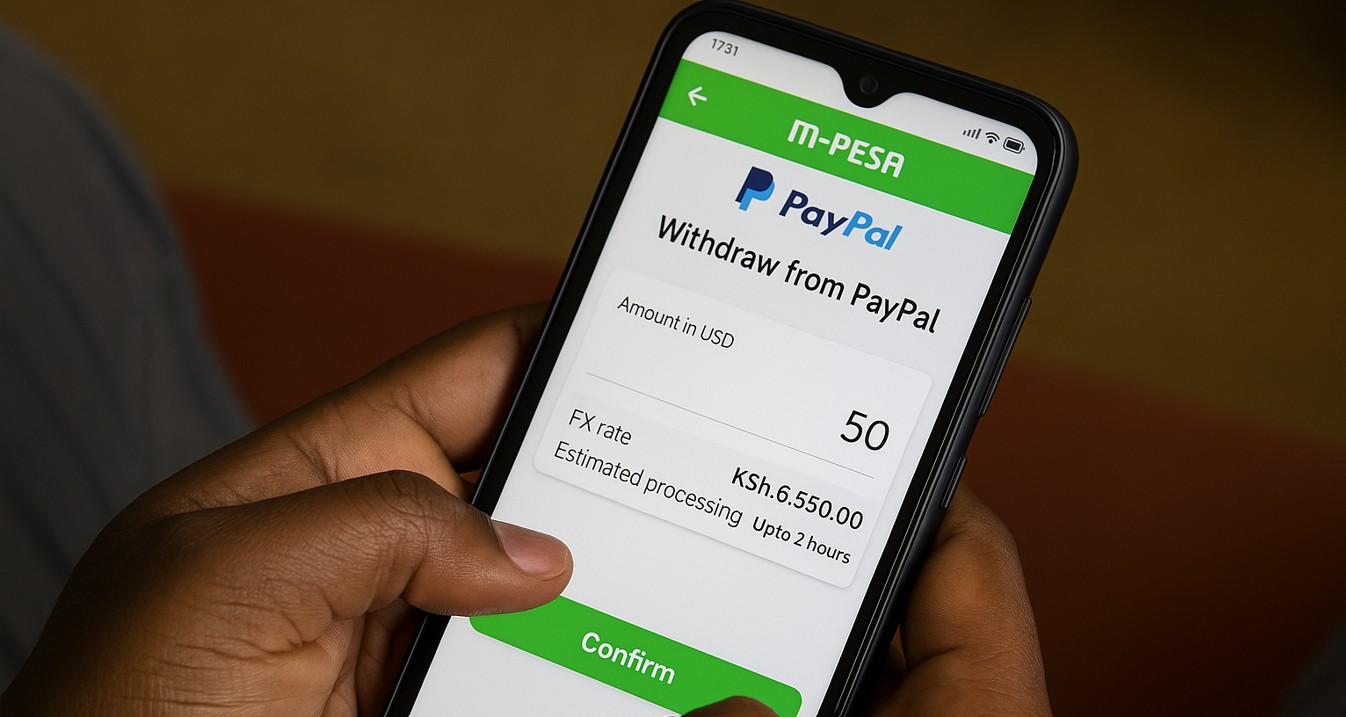
- Choose Withdraw, then enter the USD amount you want to cash out.
- Review the exchange rate and fee shown on screen — this is your chance to confirm you’re happy with the numbers before committing.
- Confirm, and shillings typically arrive in your M-Pesa wallet within a few hours to about 2-3 business days.
Cost: roughly a 3% total conversion cost, combining PayPal’s daily exchange rate margin and the service fee. This is the cheaper of the two official routes for most users.
Route 2: Equity Bank PayPal Withdraw Service
Equity operates its own official PayPal withdrawal integration, moving your PayPal balance directly into an Equity Bank account rather than M-Pesa:
- Confirm you have an active Equity Bank account.
- Log into Equity’s online banking or visit a branch to link your PayPal account to the service (this is a one-time setup, similar to the Safaricom route).
- Initiate the withdrawal from your PayPal balance to your Equity account.
- Once funds land in your Equity account, transfer them to M-Pesa yourself through the standard Equity-to-M-Pesa transfer option, which carries its own separate small fee.
Cost: typically 5-7% all-in once you account for both PayPal’s conversion and the subsequent Equity-to-M-Pesa transfer — noticeably more expensive than the direct Safaricom route, and usually slower too. This route mainly makes sense if you’re already an Equity customer and prefer keeping funds in a bank account rather than mobile money, or if you’re moving a larger sum where Equity’s bank-to-bank rates work out more favorably than the smaller-transaction M-Pesa route.
What You’ll Actually Net: A Worked Example
On a $100 personal payment (money from a friend or family member, not a commercial sale):
- PayPal’s standard exchange rate margin and the ~3% conversion service fee apply
- You typically end up with roughly KES 12,000-12,500 in your M-Pesa wallet, depending on that day’s exchange rate
On a $100 commercial payment (payment for goods or services, i.e., freelance work or online sales), the math changes because PayPal first deducts its standard commercial receiving fee — around 4.4% plus a fixed $0.30 — before the currency conversion and withdrawal fees even apply. Budget for a noticeably lower net amount on commercial receipts compared to personal ones, and factor this into what you charge clients if PayPal is your primary payment method.
Limits to Know
Both withdrawal routes ultimately feed into M-Pesa, so standard M-Pesa transaction limits apply on the Kenyan side: KES 250,000 per single transaction and KES 500,000 per day. If you’re cashing out a larger sum, plan to split it across multiple days, or consider using the Equity Bank route to move a larger lump sum into a bank account first.
A Practical Tip for Freelancers
If PayPal is a regular part of your income, don’t rely on it as your only payment rail. Because Kenyan accounts are personal-only and PayPal can place holds or restrictions on accounts receiving frequent commercial payments through a personal-tier account, it’s worth keeping at least one alternative — Wise, Payoneer, or similar — set up in parallel, so a temporary PayPal hold doesn’t cut off your income entirely.
Bottom Line
Receiving PayPal money in Kenya works, and cashing it out to M-Pesa is a well-established, official process — it just runs through a partner service rather than a single in-app button. For most individuals, the Safaricom M-Pesa route is the faster, cheaper default; Equity’s service is the alternative if you’d rather land funds in a bank account or you’re moving a larger amount. Either way, always check the live exchange rate and fee shown on screen before confirming, since PayPal’s rates shift daily.
New to PayPal in Kenya entirely? Start with our guide on how to open a PayPal account in Kenya before you attempt your first withdrawal.
📌 Related Articles: